
Sabemos que existen decenas de lenguajes de programación, pero, alguna vez te has preguntado como se hace esta impresión básica al momento de querer aprender a programar, en este caso te mostraré el como se escriben en 50 lenguajes de programación diferentes :D.
En cada caso, estaré utilizando un diferente IDE o medio de ejecución para cada lenguaje, por lo que es una forma de conocer que tan diferente puede ser cada lenguaje de programación.
1.- Lenguaje C (uno de los más básicos y fáciles de aprender).
#include

int main(int argc, char *argv[]) {
printf("Hola Mundo desde C - RCIPF.com");return 0;
}
2.- Java
class HolaMundo {
    public static void main(String[] args) {
        System.out.println("Hola mundo desde Java - RCIPF.com");
    }
}
3.- Python
print("Hola Mundo desde Python - RCIPF.com")
4.- JavaScript
console.log("Hola Mundo desde JavaScript - RCIPF.COM")
5.- HTML
<!DOCTYPE html>
<html>
<body>
<script>
  document.write("Hola mundo");
</script>
</body>
</html>
6.- BrainFuck
-[------->+<]>-.-[--->+<]>++.---.-----------.-[->+++<]>.++++++[->++<]>+.+[-->+++<]>.-------.----------.+++++++++++.[--->+<]>-----.+[->+++<]>+.+.[--->+<]>----.+++[->+++<]>++.+.--[--->+<]>-.>-[--->+<]>---.-[->++++<]>-.++++++.+++++++.----------.-[--->++<]>.--[--->+<]>-.++++++++++++.--.
7.- Pascal
program Hola;
begin
writeln('Hola Mundo desde Pascal - RCIPF.com');
end.
8.- SQL (MySQL)
SELECT 'Hola mundo desde MySQL - RCIPF.com';
9.- CMD (Windows)
echo «Hola Mundo desde CMD – RCIPF.com»

10.- PSeInt
Algoritmo HM
Imprimir "Hola Mundo desde PSeInt - RCIPF.com"
FinAlgoritmo
11.-Processing
void setup() {
  size(600, 200);
}

void draw() {
  background(00);
  fill(255);
  textSize(32);
  textAlign(CENTER, CENTER);
  text("Hola Mundo desde Procesing - RCIPF.com", width/2, height/2);
}
12.- Turbo C
#include <stdio.h>
#include <conio.h>

void main()
{
    clrscr();
    printf("Hola Mundo desde Turbo C - RCIPF.com\n");
    getch();
}

13.- Clipper
PROCEDURE Main()

   ? "Hola Mundo desde Clipper - RCIPF.com"

   RETURN
14.- COBOL
      ******************************************************************
      * Author: Joze_FAbianN Naval
      * Date: 3 de mayo del 2024
      * Purpose: 50 Holas Mundo en diferentes Lenguajes :D
      * Tectonics: cobc
      ******************************************************************
       IDENTIFICATION DIVISION.
       PROGRAM-ID. HOLAMUNDO.
       DATA DIVISION.
       FILE SECTION.
       WORKING-STORAGE SECTION.
       PROCEDURE DIVISION.
       MAIN-PROCEDURE.
            DISPLAY "Hola Mundo desde Cobol - RCIPF.com"
            STOP RUN.
       END PROGRAM HOLAMUNDO.
15.- Visual Basic 6.0
Private Sub Mensaje_Click()
MsgBox ("Hola Mundo desde Visual Basic 6.0 - RCIPF.com")
End Sub

16.- GO
package main

import "fmt"

func main() {
    fmt.Println("Hola mundo desde GO - RCIPF.com")
}
17.- PHP
<!DOCTYPE html>
<html>
<head>
<title>
	Prueba de PHP
</title>
</head>
<body>
<?php
echo "Hola Mundo desde PHP - RCIPF.com";
?>
</body>
</html>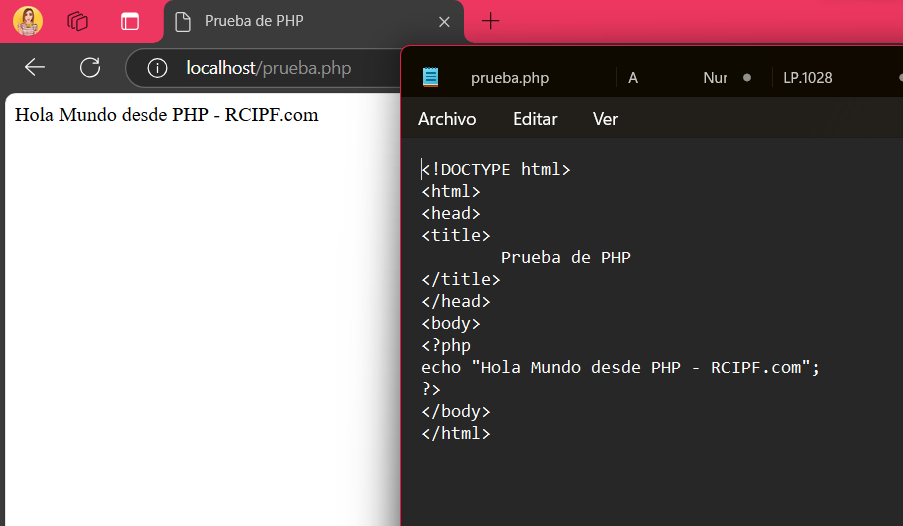
En este caso se utilizo Notepad++ para la edición del código, AMPPS como servidor, y Firefox como navegador.
18.- Arduino (y no, no es el clasico Blink).
char mi_variable[36] = "Hola Mundo desde Arduino - RCIPF.COM";
void setup() {
  // put your setup code here, to run once:
  Serial.begin(9600);
  Serial.println(mi_variable);
}

void loop() {
}
Recordemos que la placa puede almacenar datos. Por lo tanto, al conectar la placa (en este caso, Arduino Mega 2560) te mandará el mensaje incluso sin tener acceso al código ya que este está compilado dentro del microcontrolador.
19.-Ruby
puts "Hola Mundo desde Ruby - RCIPF.com
20.- LUA
print("Hola Mundo desde LUA - RCIPF.COM")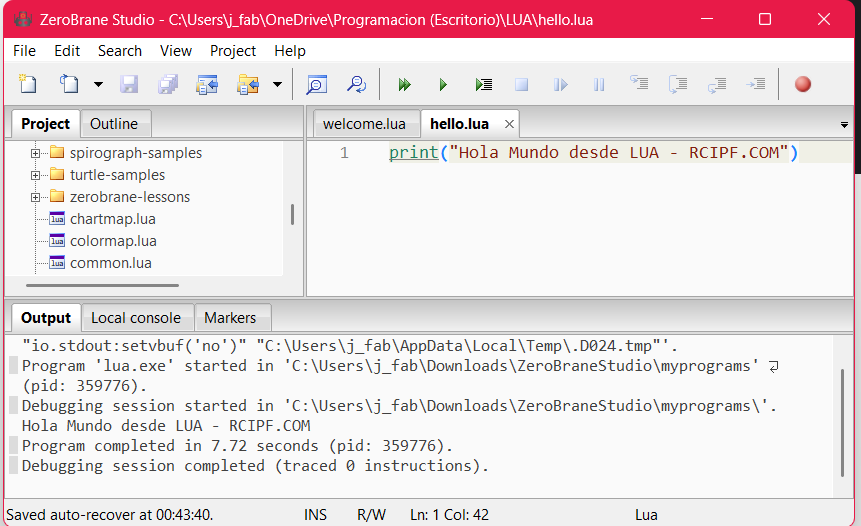
El lenguaje Lua es sencillo y su tipado es fácil de entender, lo que se refleja en su facilidad de uso, como se puede ver en este ejemplo.»
21.- TypeScript
"use strict";
console.log("Hola Mundo desde TypeScript - RCIPF.COM");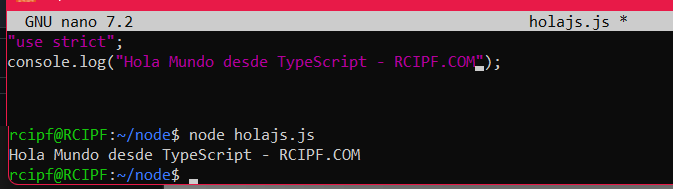
22.- Julia
println("Hola Mundo desde Julia - RCIPF.COM")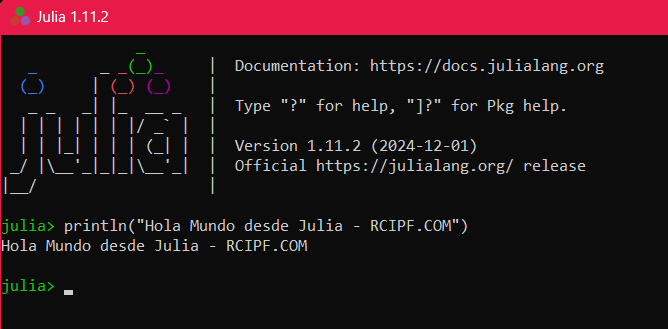
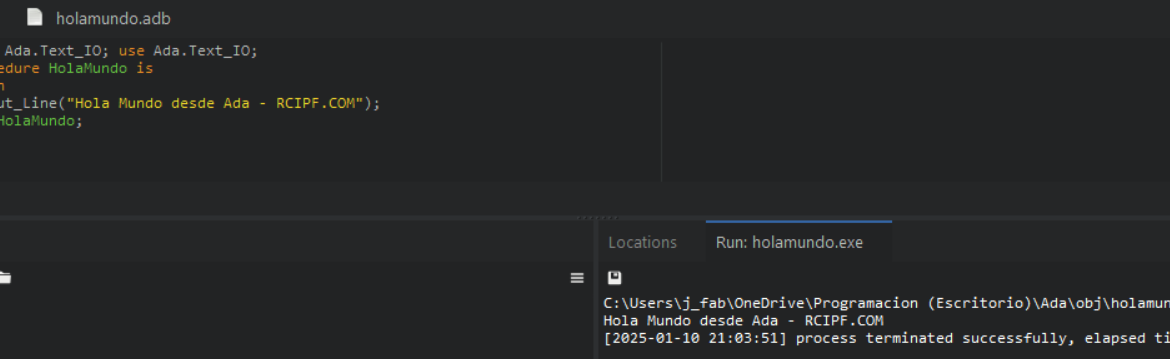
23.- Ada
with Ada.Text_IO; use Ada.Text_IO;
procedure HolaMundo is
begin
   Put_Line("Hola Mundo desde Ada - RCIPF.COM");
end HolaMundo;
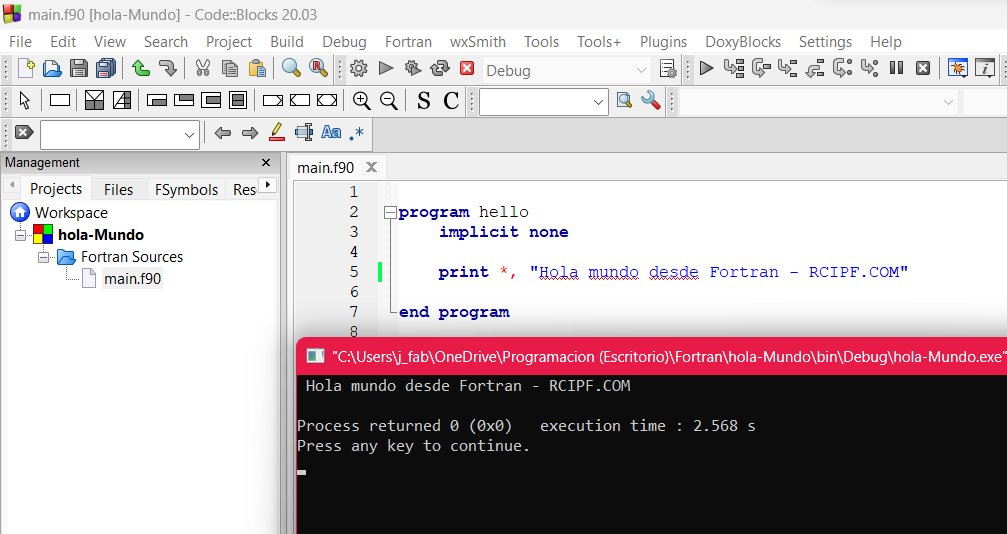
24.- Fortran
program hello
    implicit none

    print *, "Hola mundo desde Fortran - RCIPF.COM"

end program
25.- Eiffel
note
	description: "hola_mundo application root class"
	date: "$Date$"
	revision: "$Revision$"

class
	APPLICATION

inherit
	ARGUMENTS_32

create
	make

feature {NONE} -- Initialization

	make
			-- Run application.
		do
			--| Add your code here
			print ("Hola, Mundo desde Eiffel! - RCIPF.COM%N")
		end

end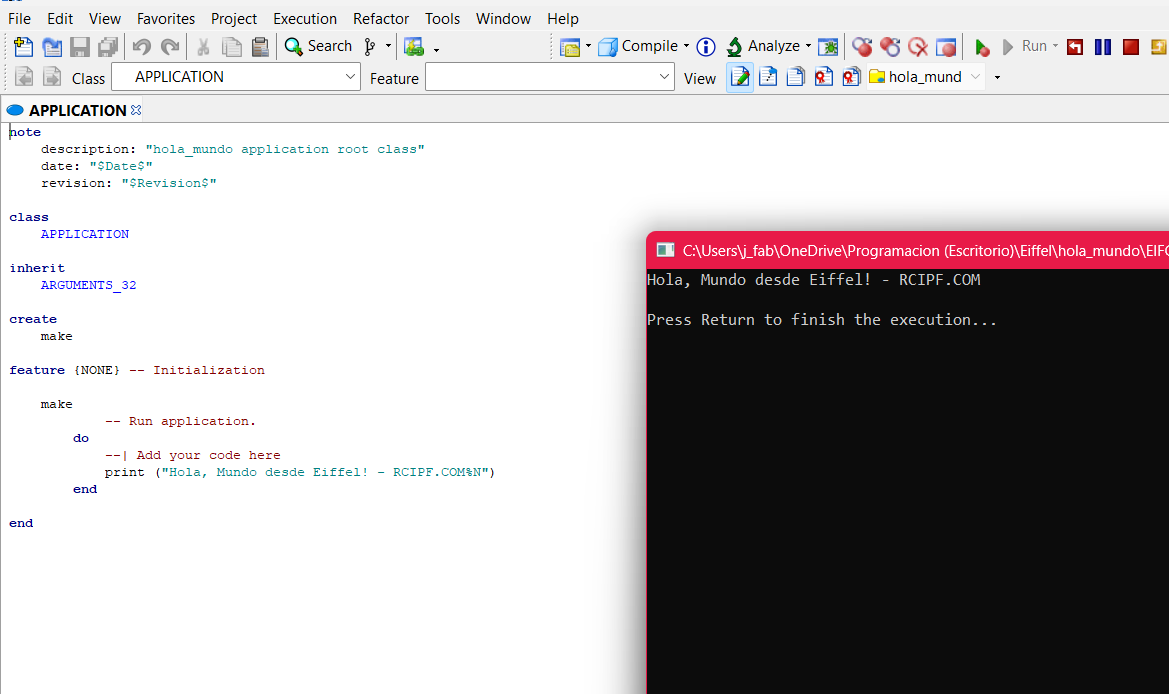
26.- Microsoft Small Basic
TextWindow.Show()
TextWindow.Write("Hola Mundo desde Small Basic - RCIPF.COM")
TextWindow.WriteLine("")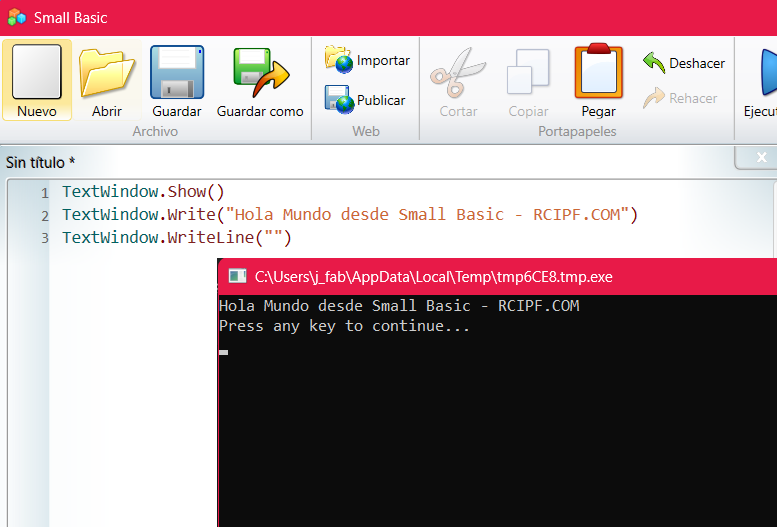
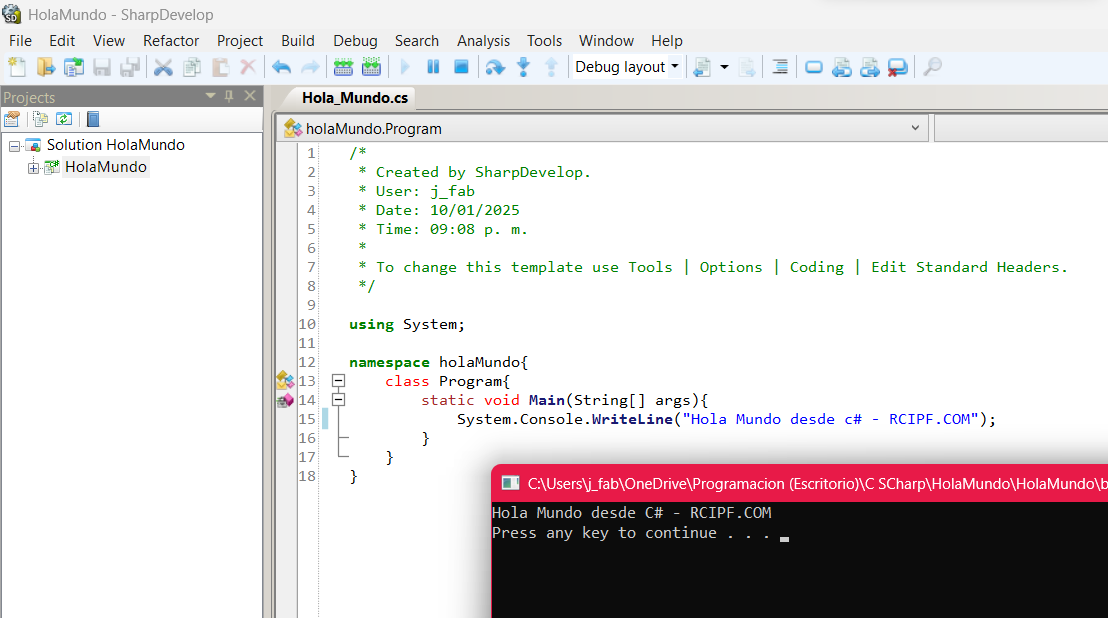
27.- C#
/*
 * Created by SharpDevelop.
 * User: j_fab
 * Date: 10/01/2025
 * Time: 09:08 p. m.
 *
 * To change this template use Tools | Options | Coding | Edit Standard Headers.
 */

using System;

namespace holaMundo{
	class Program{
		static void Main(String[] args){
			System.Console.WriteLine("Hola Mundo desde c# - RCIPF.COM");
		}
	}
}
28.- Basic
10 PRINT "HOLA MUNDO DESDE BASIC - RCIPF.COM"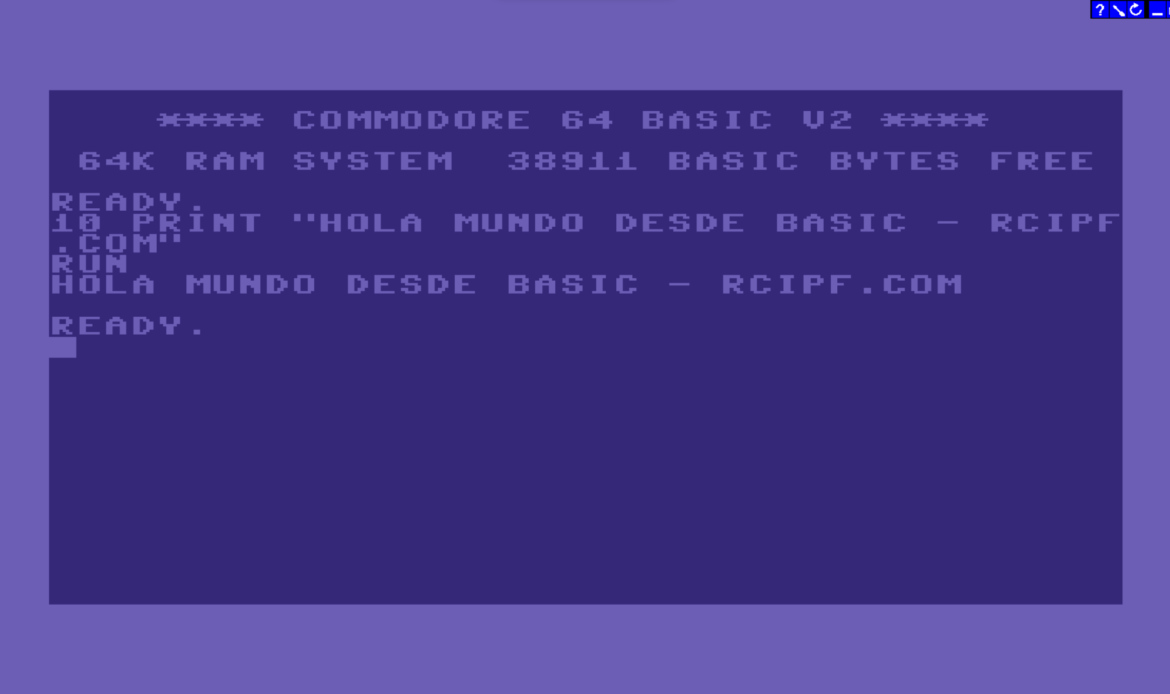
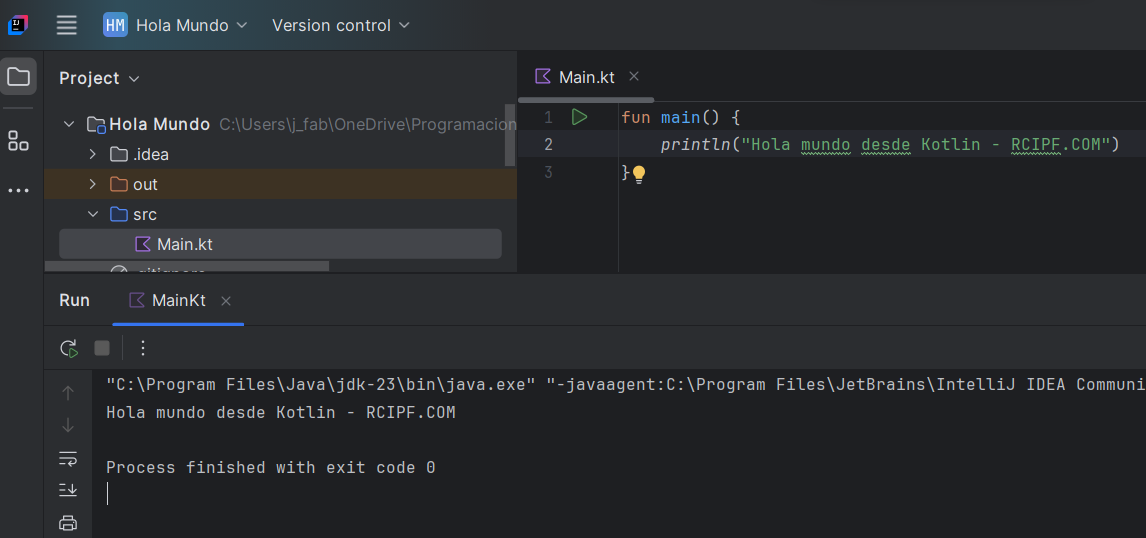
29.- Kotlin
fun main() {
    println("Hola mundo desde Kotlin - RCIPF.COM")
}
30.- MathLab
disp("Hola Mundo desde MathLab - RCIPF.COM")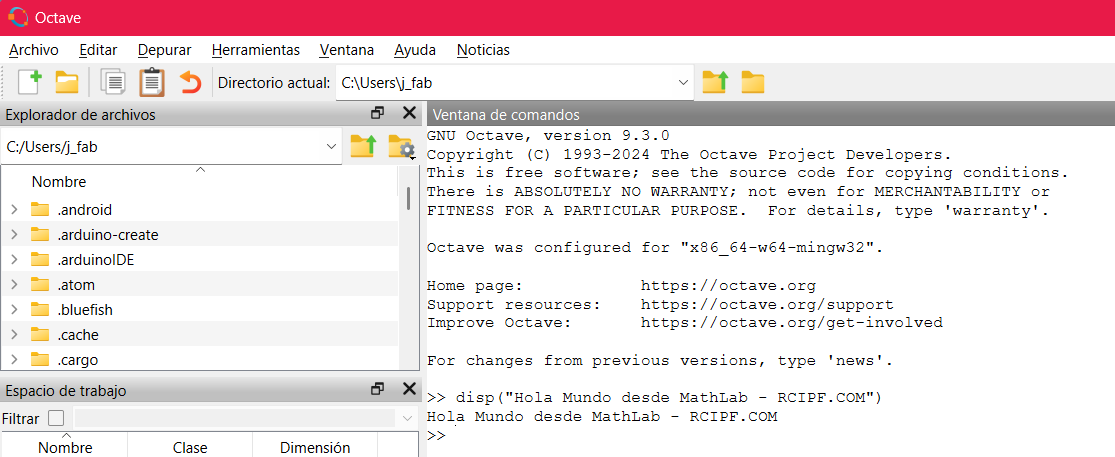
31.- R
print("Hola Mundo desde R - RCIPF.COM", quote=FALSE)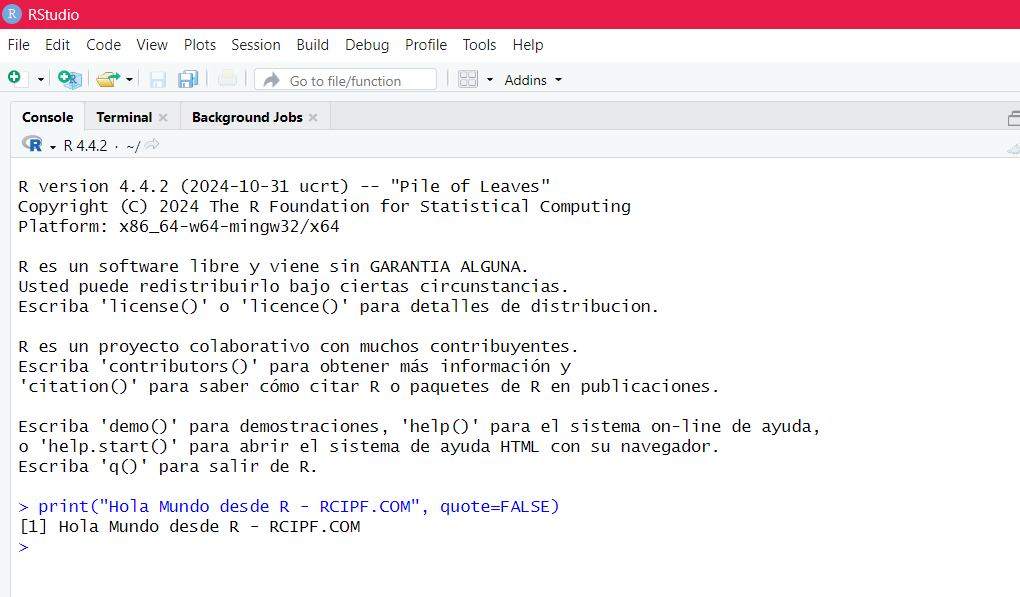
32.- F#
printf "Hola Mundo desde F# - RCIPF.COM\n"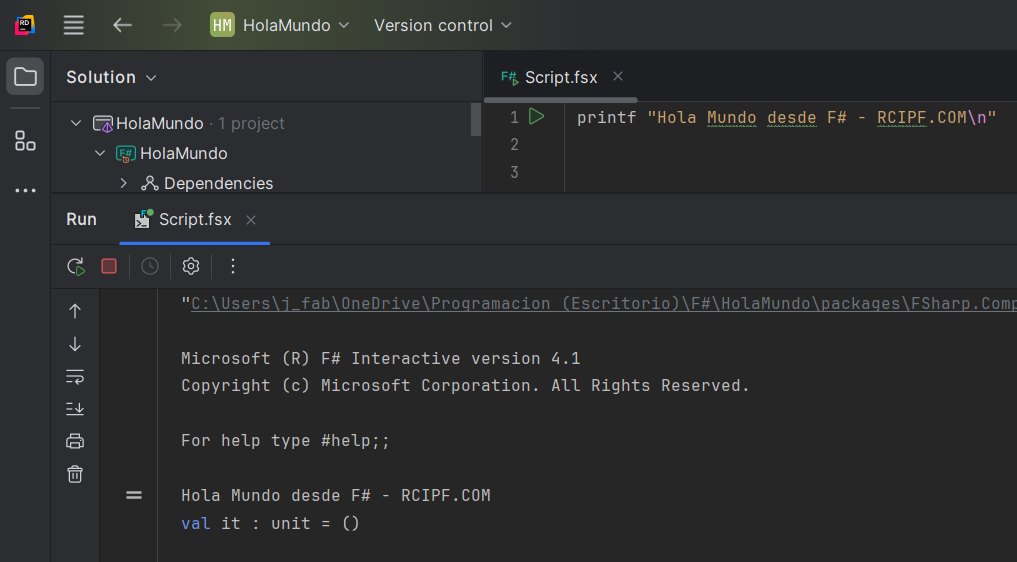
33.- Perl
print "Hola Mundo desde Perl - RCIPF.COM\n";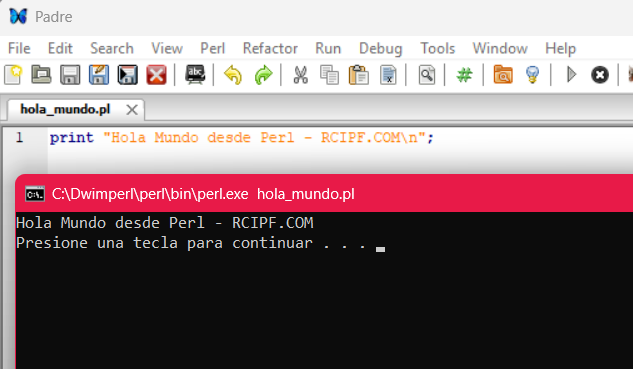
34.- Haskell
main = putStrLn "Hola Mundo desde Haskell - RCIPF.COM"
Próximamente iré añadiendo mas, pero esto sera poco a poco :D, espéralos (el número 50 sera algo relacionado con —-> ….
….
Las aplicaciones usadas hasta el momento son:
1.- Lenguaje C – ZinjaI
2.- Lenguaje Java – NetBeans
3.- Lenguaje Python – IDLE
4.- Lenguaje JavaScript – Opera
5.- Lenguaje HTML – Escrito en Notepad++ y visualizado en Firefox
6.- Lenguaje BrainFuck – Visualizado en linea en la pagina jdoodle
7- Lenguaje Pascal – Free Pascal IDE
8.- Lenguaje SQL – MySql
9.- Lenguaje Batch Script – CMD
10.- Lenguaje Pseudolenguaje – PseInt
11.- Lenguaje Processing – Precessing4
12.- Lenguaje TURBO C – IDLE
13.- Lenguaje Clipper – xHarbour
14.- Lenguaje COBOL – OpenCobolIDE
15.- Lenguaje Visual Basic – Visual Basic 6.0
16.- Lenguaje GO – Visual Studio Code
17.- Lenguaje PHP – Escrito en el bloc de notas y visualizado en Edge
18.- Lenguaje C++ (variacion) – Arduino IDE
19.- Lenguaje Ruby – Interactive Ruby
20.- Lenguaje Lua – ZeroBrane Studio
21.- Lenguaje TypeScript – NodeJs / usando la terminal de Ubuntu
22.- Lenguaje Julia – Julia
23.- Lenguaje Ada – GNAT Studio
24.- Lenguaje Fortran – Code::Blocks
25.- Lenguaje Eifel – EiffelStudio
26.- Lenguaje Small Basic – Microsoft Small Basic
27.- Lenguaje C# – SharpDevelop
28.- Lenguaje BASIC -Usado en Commodore 64, (aplicación para escritorio (C64 Emulator))
29.- Lenguaje Kotlin – IntelliJ IDEA Community Edition
30.- Lenguaje MathLab – GNU Octave
31.- Lenguaje R – RStudio
32.- Lenguaje F# – JetBrains Rider
33.- Lenguaje Perl – Padre
34.- Lenguaje Haskell- Visualizado en linea en la pagina haskell.org
35.- Lenguaje … Proximamente
36.- Lenguaje … Proximamente
37.- Lenguaje … Proximamente
38.- Lenguaje … Proximamente
39.- Lenguaje … Proximamente
40.- Lenguaje … Proximamente
41.- Lenguaje … Proximamente
42.- Lenguaje … Proximamente
43.- Lenguaje … Proximamente
44.- Lenguaje … Proximamente
45.- Lenguaje … Proximamente
46.- Lenguaje … Proximamente
47.- Lenguaje … Proximamente
48.- Lenguaje … Proximamente
49.- Lenguaje … Proximamente
50.- Lenguaje … Proximamente